

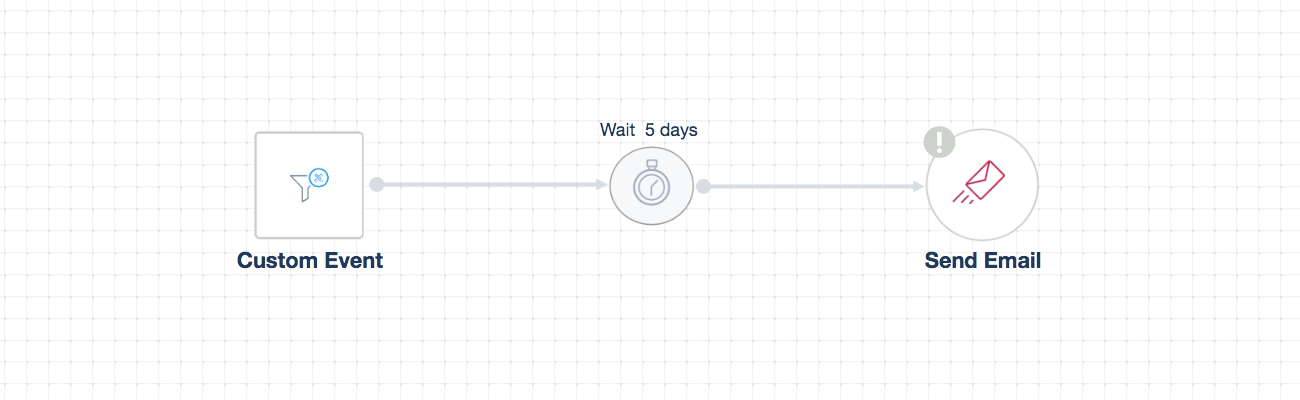
Part of your contacts may sign up to take the course but never get started. In this case, it would be a good idea to push users to start the course by reminding them about the course benefits and the need to start taking the lessons.
To build your workflow automation, you need to set up the proper trigger and conditions. VBOUT can detect whether or not the user has started the course according to specific criteria that should be met.
One of the conditions that you can set is defining your lead scoring parameters and assigning a particular grade for contacts who click on any of the lessons pages (i.e: giving 5 points to anyone who reaches a destination URL). This indicates that whomever earns a score of 5 has started with a lesson after signup.
Then, you can create a “Custom Event” trigger in which you specify to send the follow up course email to those whose score is less than 5.
** Note: You need to give a time delay of a few days before you send out your push-to-getting-started email in order not to bother your contacts right away. You also have to create your lead scoring first.
Your automation will not work properly if you do not clearly set up all the required conditions.