

Upselling is the process of selling a more expensive or upgraded version of a product/service to customers for the purpose of making a more profitable sale, such strategy plays a critical role in building a successful and ongoing relationship with them.
Upsell emails are mainly triggered when shoppers leave items in their carts without purchasing them. Such emails include cart or browse abandonment alerts with suggestions of other upgraded products.
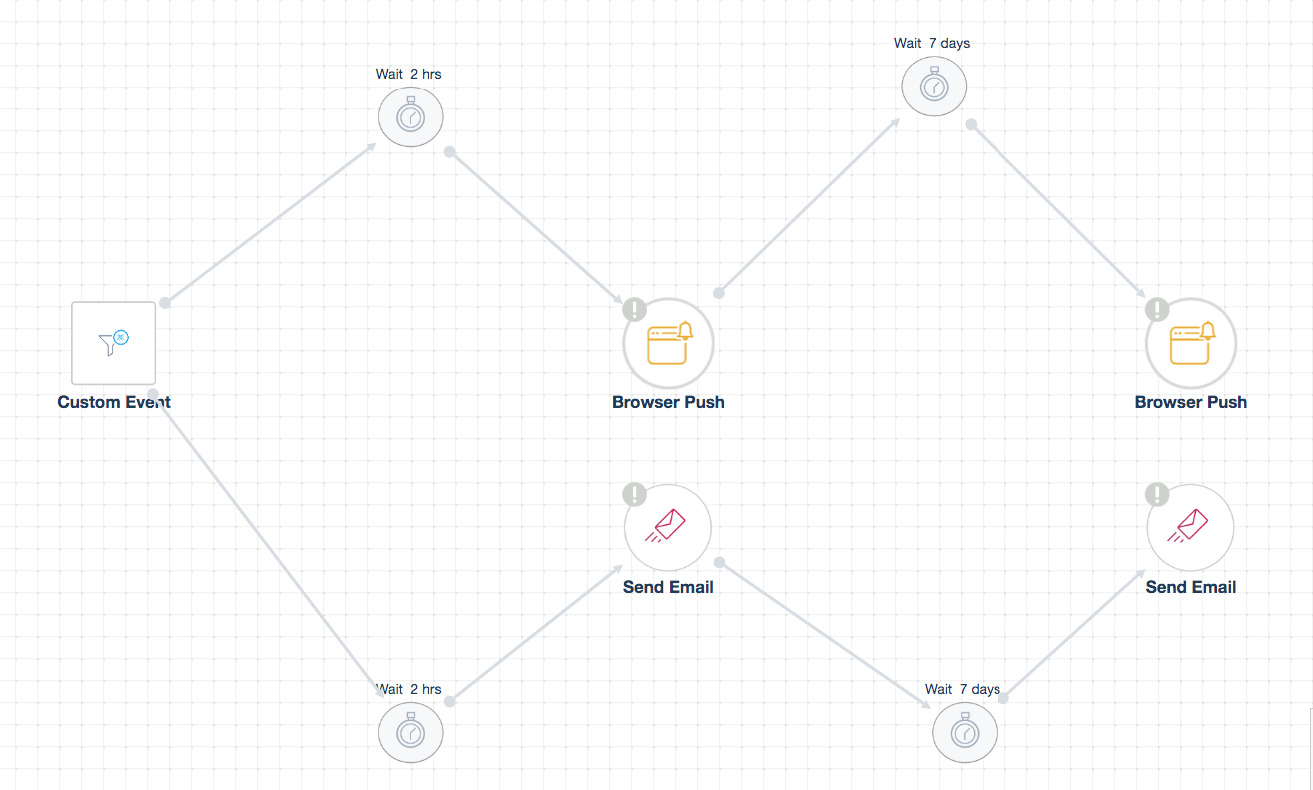
Another effective strategy to communicate with visitors is browser push notifications, especially when you do not have their email addresses. For instance, you can trigger a browser push notification that shows up 2 hours after adding the main product to a shopping cart and leaving without completing their purchase. You can also use a mix of emails and browser push messages in your workflow automation.
** Note: Always check “Target Segment” within the trigger in order to complete the setup. You might also need to create several “Custom Event” triggers to specify the last abandoned product and send the upsell email relevant to each item.
Your automation will not work properly if you do not clearly set up all the required conditions.