

When your contacts finalize the course, they are likely to receive a certification and a badge that they can add in their email signature for credibility.
After they complete all lessons, you can send them to a destination URL (i.e thank you page or certification page) in which you congratulate them for completing the lessons and in which you ask them to check their email that might include the major steps they must follow to download and get their certificate and badge.
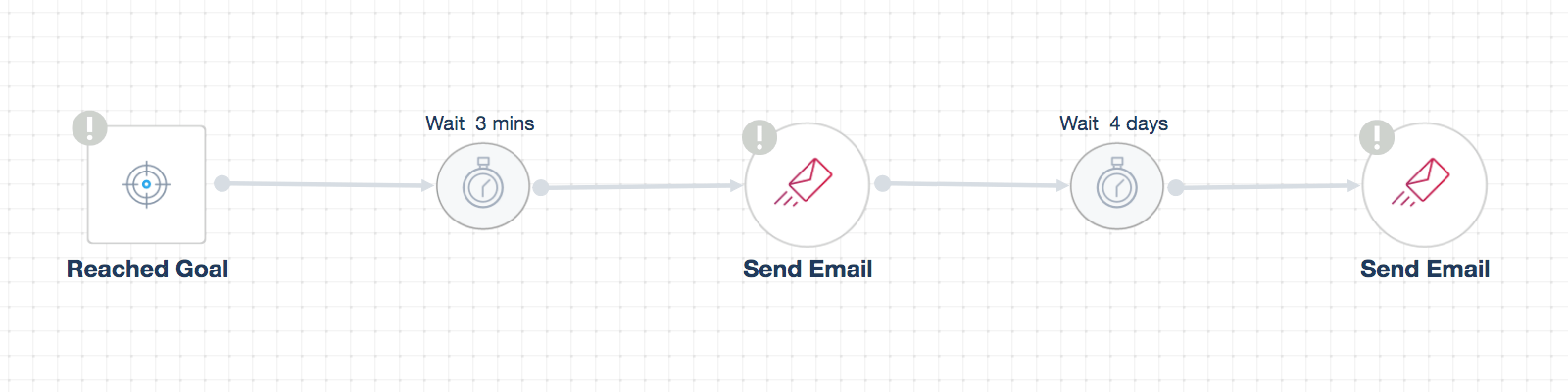
To craft your workflow automation, the trigger that should be selected is “Reached Goal”, in which you choose your destination URL after all lessons are completed, and send your reward email.
After a few days, you can resend them an email that they can still sign in anytime to re-watch the lectures, access the slide decks for each lesson and offer them an option to signup for other courses they might be interested in order to grab their attention about any future courses to be launched soon.
** Note: Before you build this workflow, you should create a goal first, specifying the destination URL then choose it as a trigger inside your automation. This destination can be the certificate page itself, but it should have the same domain of the course.
Your automation will not work properly if you do not clearly set up all the required conditions.